H3C Technologies H3C SecPath F1000-E User Manual
Page 339
13
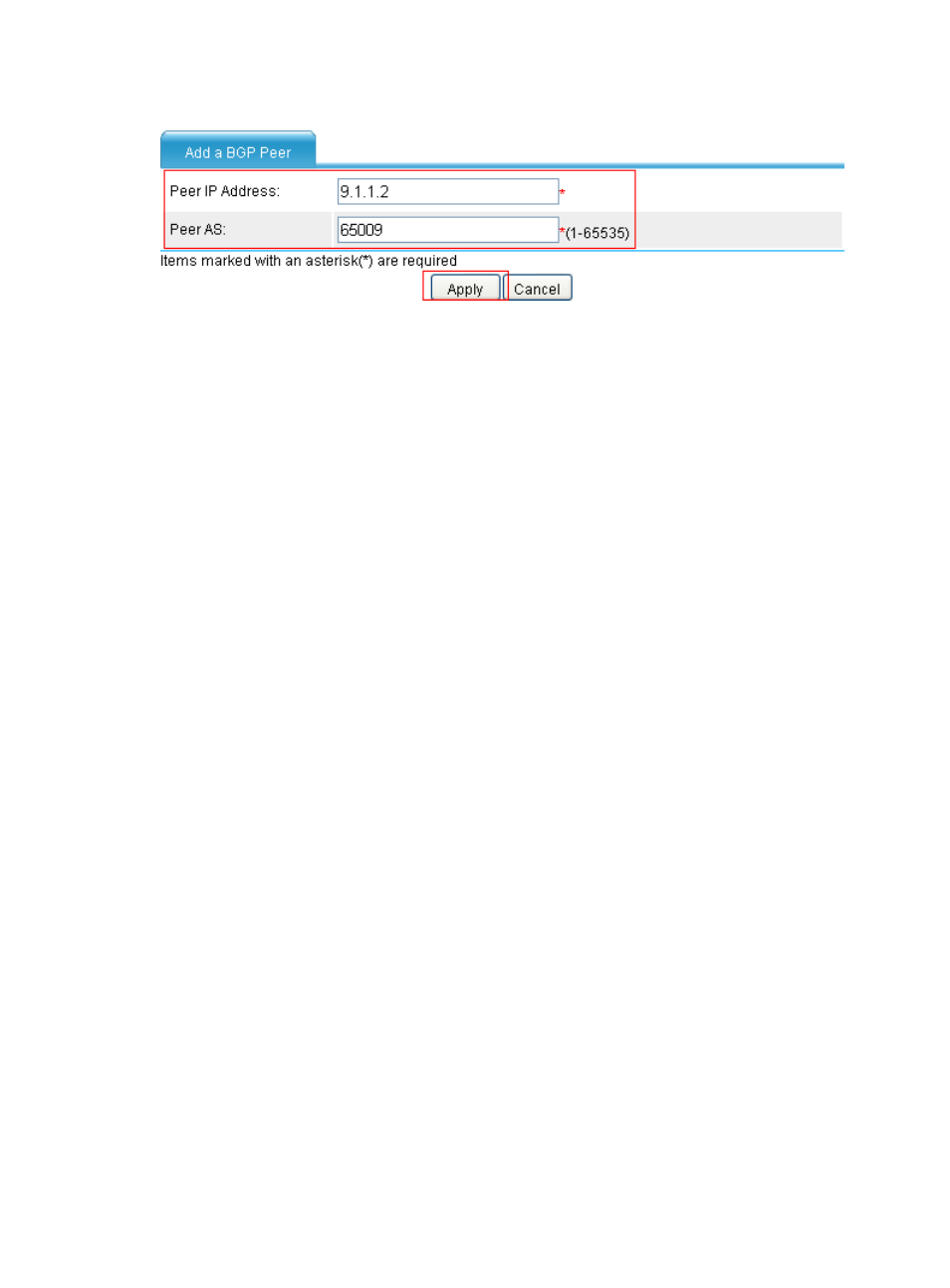
Figure 17 Add a BGP peer
•
Click Add in the Peer Configuration field.
•
Type 9.1.3.2 for Peer IP Address.
•
Type 65009 for Peer AS.
•
Click Apply.
# Configure Device C.
•
Select Network > Routing Management > BGP from the navigation tree of Device C.
•
Select the Enable BGP check box.
•
Type 65009 for AS.
•
Click Apply.
•
Click Add in the Peer Configuration field.
•
Type 9.1.3.1 for Peer IP Address.
•
Type 65009 for Peer AS.
•
Click Apply.
•
Click Add in the Peer Configuration field.
•
Type 9.1.2.2 for Peer IP Address.
•
Type 65009 for Peer AS.
•
Click Apply.
# Configure Device D.
•
Select Network > Routing Management > BGP from the navigation tree of Device D.
•
Select the Enable BGP check box.
•
Type 65009 for AS.
•
Click Apply.
•
Click Add in the Peer Configuration field.
•
Type 9.1.1.1 for Peer IP Address.
•
Type 65009 for Peer AS.
•
Click Apply.
•
Click Add in the Peer Configuration field.
•
Type 9.1.2.1 for Peer IP Address.
•
Type 65009 for Peer AS.
•
Click Apply.