H3C Technologies H3C SecPath F1000-E User Manual
Page 563
Advertising
8
•
Enter 2.1.1.1 as the start IP address.
•
Enter 2.1.1.100 as the end IP address.
•
Select Enable from the Limit Rate Per IP Address drop-down list.
•
Select Enable from the Share Bandwidth drop-down list.
•
Click Apply.
# Apply the CAR list to the interface.
•
Select Firewall > Traffic Policing > Apply from the navigation tree, and click Apply Policy.
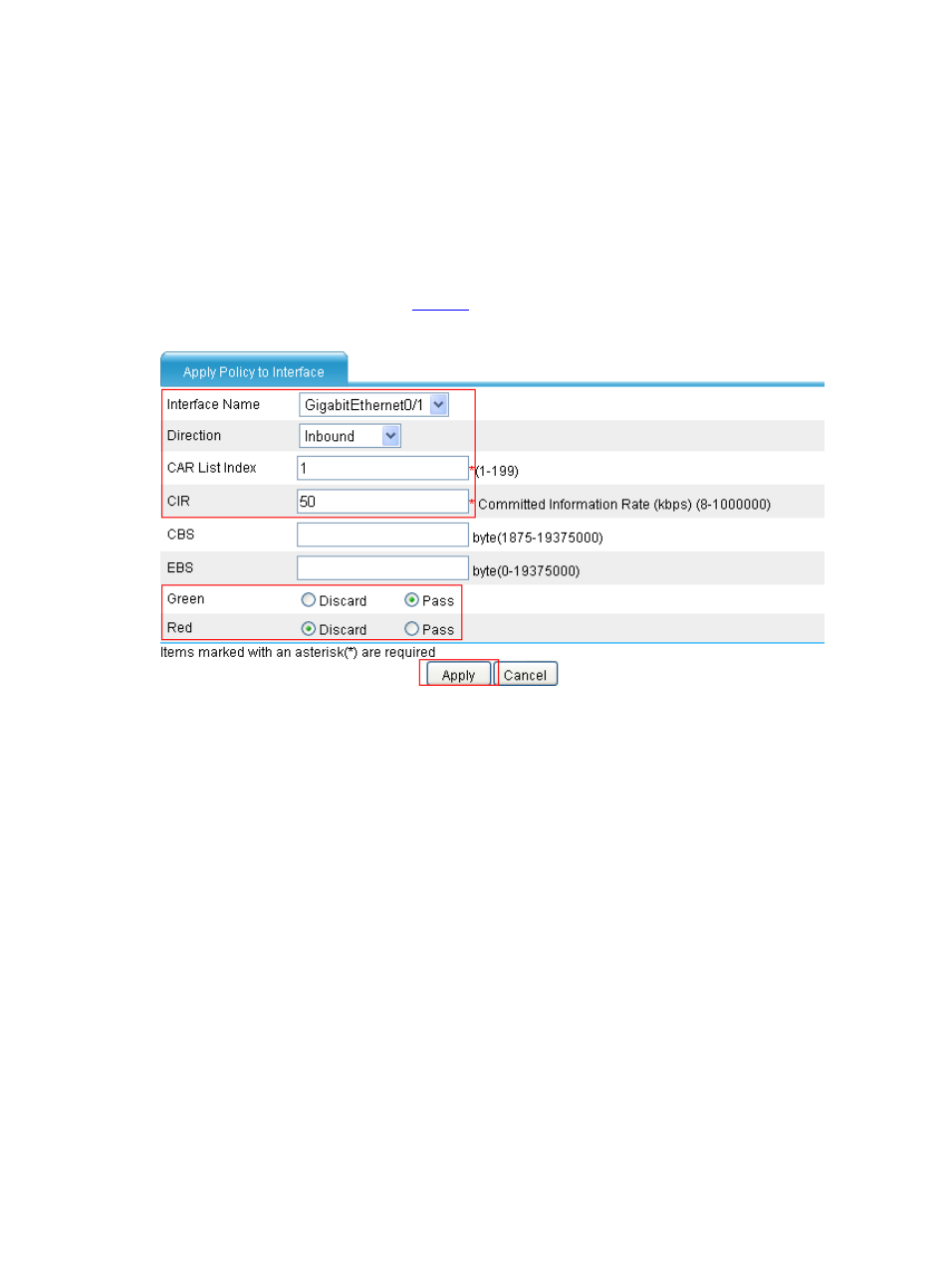
Apply the CAR list as shown in
.
Figure 8 Apply the CAR list to the interface
•
Select GigabitEthernet 0/1 from the Interface Name drop-down list.
•
Select Inbound from the Direction drop-down list.
•
Enter 1 in the CAR List Index input box.
•
Enter 50 in the CIR input box.
•
Select the Pass option for Green.
•
Select the Discard option for Red.
•
Click Apply.
Advertising
This manual is related to the following products: