Configuration procedures – H3C Technologies H3C SecPath F1000-E User Manual
Page 688
18
Configuration procedures
# Configure IP addresses for the interfaces of the device and the security zones. (Omitted)
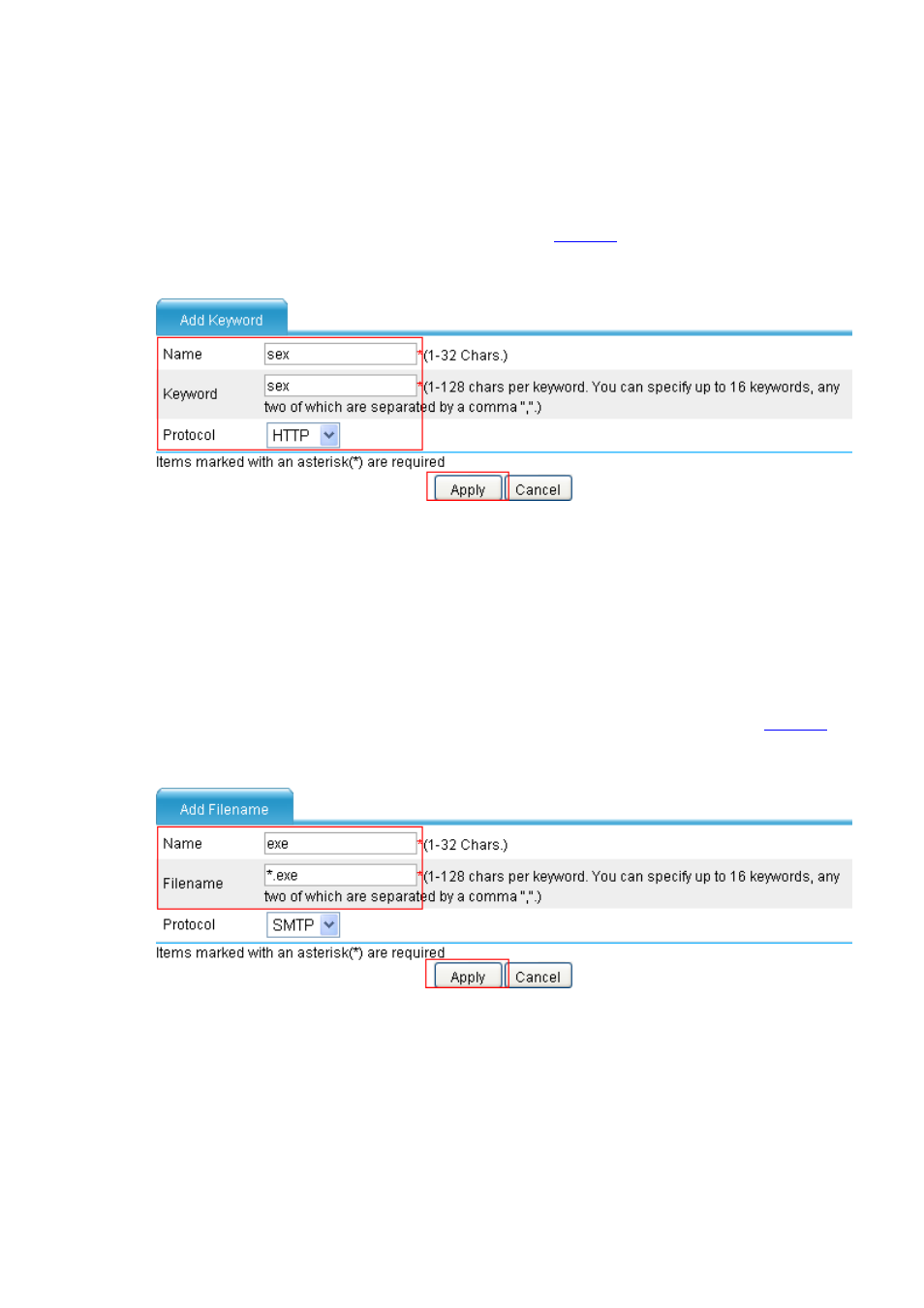
# Configure a keyword filtering entry named sex.
•
Select Identification > Content Filtering > Filtering Entry from the navigation tree. The
keyword filtering entry list page appears, as shown in
.
Figure 23 Configure keyword filtering entry sex
•
Type the entry name sex.
•
Type the keyword sex.
•
Select protocol HTTP.
•
Click Apply.
# Configure a filename filtering entry named exe.
•
Select the Filename tab, and then click Add to perform the configurations shown in
.
Figure 24 Configuring a filename filtering entry
•
Type the entry name exe.
•
Type the filename keyword *.exe.
•
Click Apply.
# Configure an HTTP filtering policy without Java applet blocking.