H3C Technologies H3C SecPath F1000-E User Manual
Page 492
14
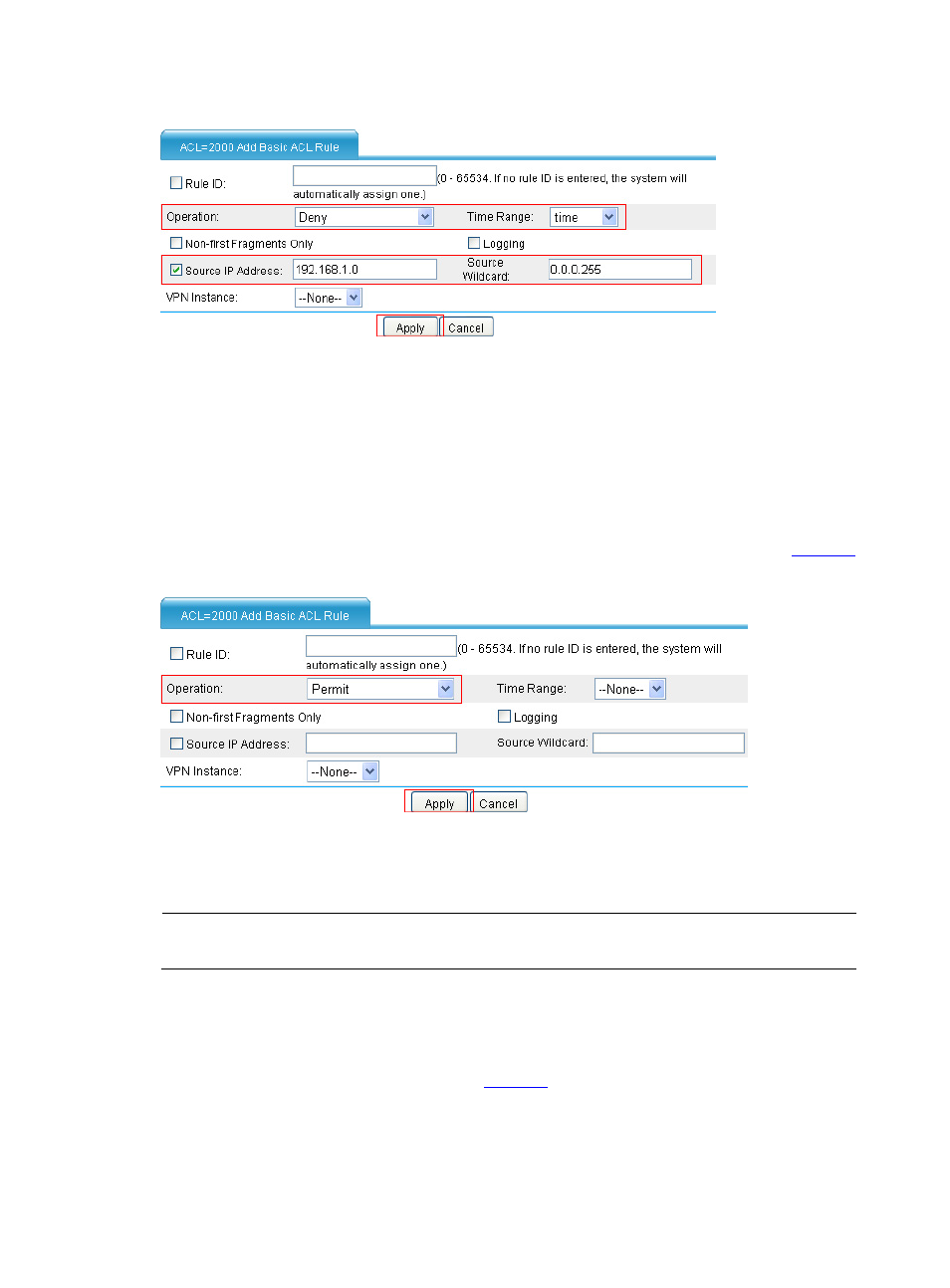
Figure 13 Configure an ACL rule to deny access of other hosts to Device on Saturday and Sunday
•
Select Deny as the operation.
•
Select time as the time range.
•
Select Source IP Address check box and type 192.168.1.0 and 0.0.0.255 in the following
text boxes.
•
Click Apply.
# Configure an ACL rule to allow other hosts to access Device.
•
On the page displaying rules of ACL 2000, click Add. Create an ACL rule as shown in
.
Figure 14 Configure an ACL rule to allow other hosts to access Device
•
Select Permit.
•
Click Apply.
NOTE:
The three ACL rules must be configured in the shown order.
Step3
Configure service management
# Associate HTTP service with ACL 2000.
•
Select Device Management > Service Management from the navigation tree. Associate
HTTP service with ACL 2000 as shown in
.