H3C Technologies H3C SecPath F1000-E User Manual
Page 912
Advertising
47
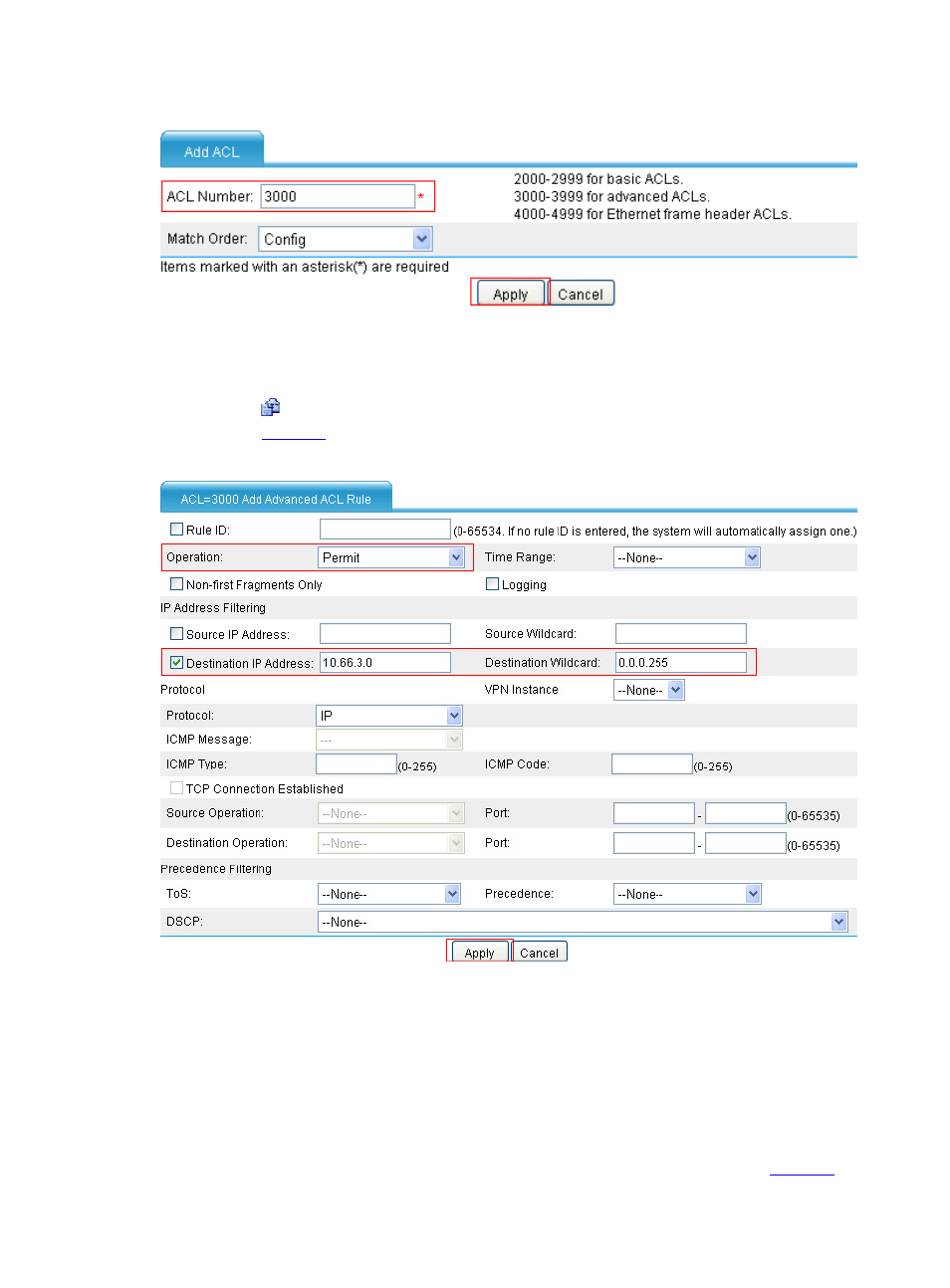
Figure 50 Create ACL 3000
•
Type the ACL number 3000.
•
Click Apply.
•
Click the icon of ACL 3000, and then click Add to perform the following configurations, as
shown in
.
Figure 51 Configure rules for ACL 3000
•
Select Permit from the Operation drop-down list.
•
Select the Destination IP Address check box, and type the destination IP address 10.66.3.0
and destination wildcard 0.0.0.255.
•
Click Apply.
# Create the physical link corresponding to ISP1.
•
Select High Reliability > Load Balance > Link Load Balance > Physical Link from the
navigation tree and click Add to perform the following configurations, as shown in
.
Advertising
This manual is related to the following products: