H3C Technologies H3C SecPath F1000-E User Manual
Page 689
19
•
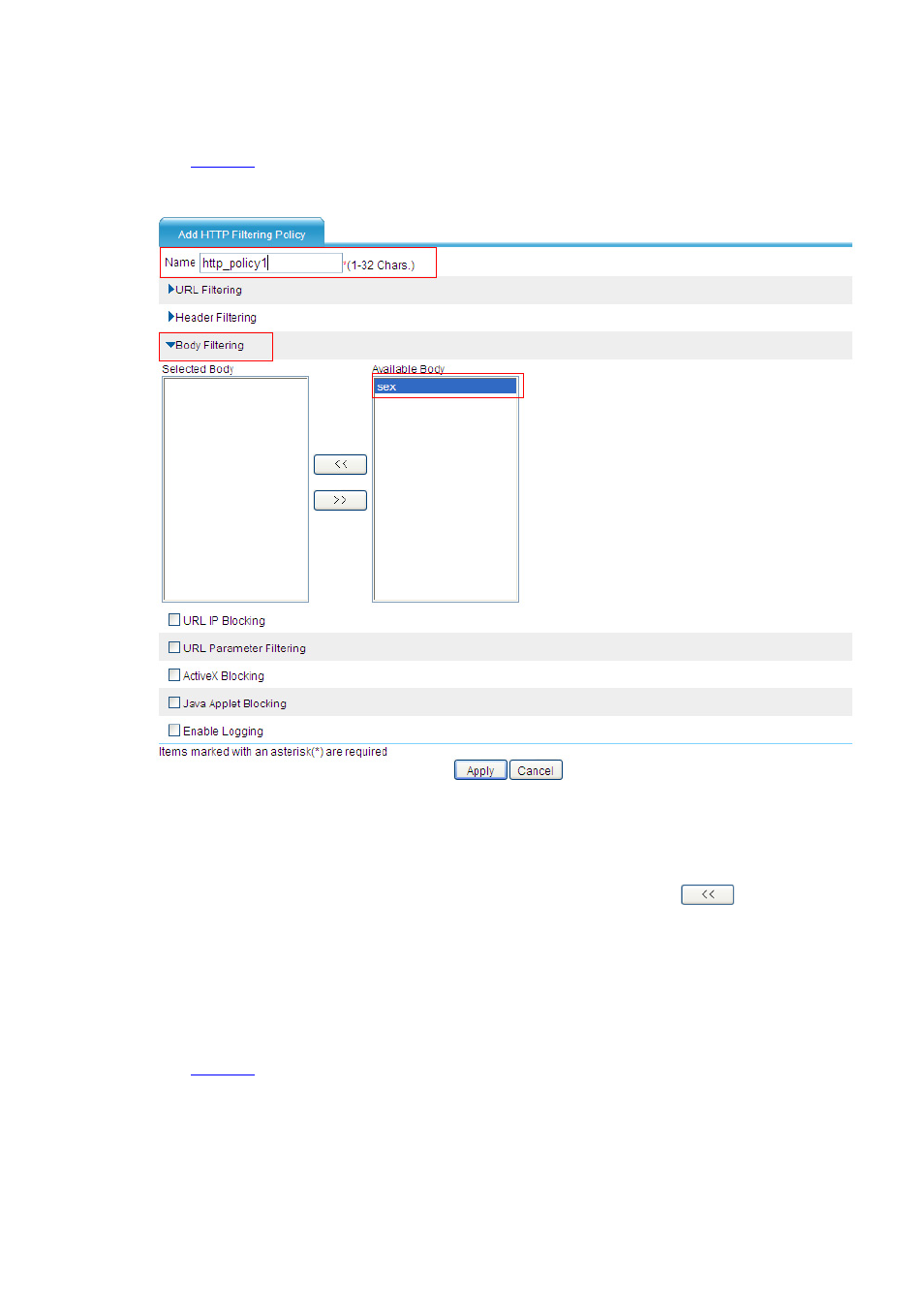
Select Identification > Content Filtering > Filtering Policy from the navigation tree. The
HTTP filtering policy list page appears. Then, click Add to perform the configurations shown in
.
Figure 25 Configure an HTTP filtering policy without Java applet blocking
•
Type the policy name http_policy1.
•
Click the expansion button before Body Filtering.
•
Select filtering entry sex in the available filtering entry list, and then click
to add it to the
selected filtering entry list.
•
Click Apply.
# Configure an HTTP filtering policy with Java applet blocking.
•
Select Identification > Content Filtering > Filtering Policy from the navigation tree. The
HTTP filtering policy list page appears. Then, click Add to perform the configurations shown in
.