Matte menu controls – Grass Valley Kayak HD v.6.9.3 User Manual
Page 371
Kayak — User Manual
371
Matte Menu Controls
Matte Menu Controls
Use the following procedure to change matte settings in any of the Matte
menus.
•
Go to the corresponding Mattes menu.
•
If not already selected, touch the
Wash Control
data pad to bring up the
Wash Source selection and the control for
Size/Offset
and
Softness
via
digipot controls.
•
If necessary, use the
Size/Offset
and
Softness
knobs to make the wash edge
visible on the screen.
Size/Offset
Normally this parameter is named Size. When you are e.g. adjusting the
Border Matte for a wipe generator for a background transition, which uses
the same wipe generator for wash control as is used for the wipe transition
itself, it is named offset.
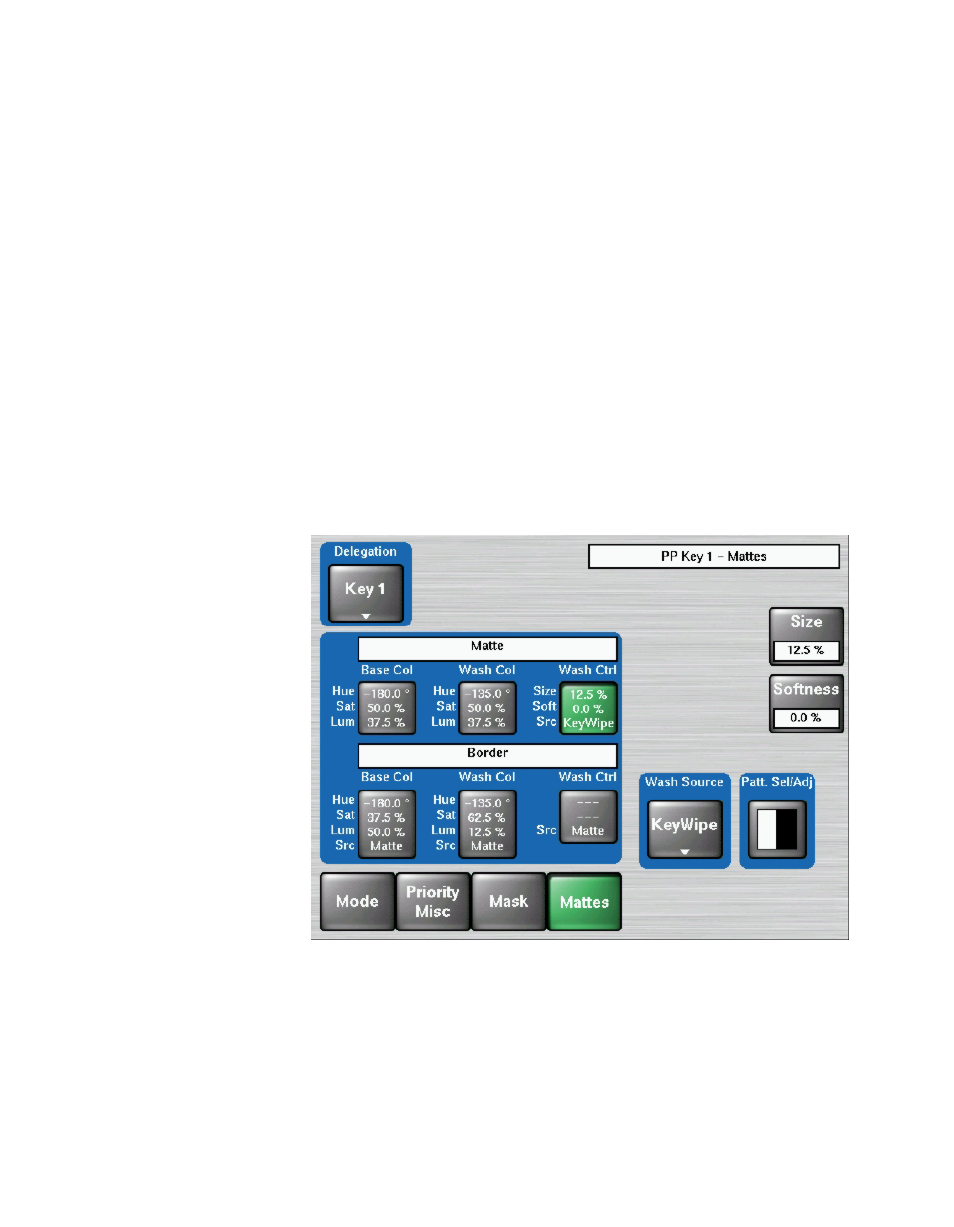
Figure 295. Matte Menu, Wash Control Selected
•
Touch the
Base Color
data pad and use the top three digipots to adjust
Hue, Saturation
, and
Luminance
of the base fill color (See
).
•
Touch the
Wash Color
data pad to delegate the digipots on the right to
adjust
Hue, Saturation
, and
Brightness
of the wash fill color (See
).