Overview kayak-200 panel – Grass Valley Kayak HD v.6.9.3 User Manual
Page 92
92
Kayak — User Manual
Section 3 — Control Panels
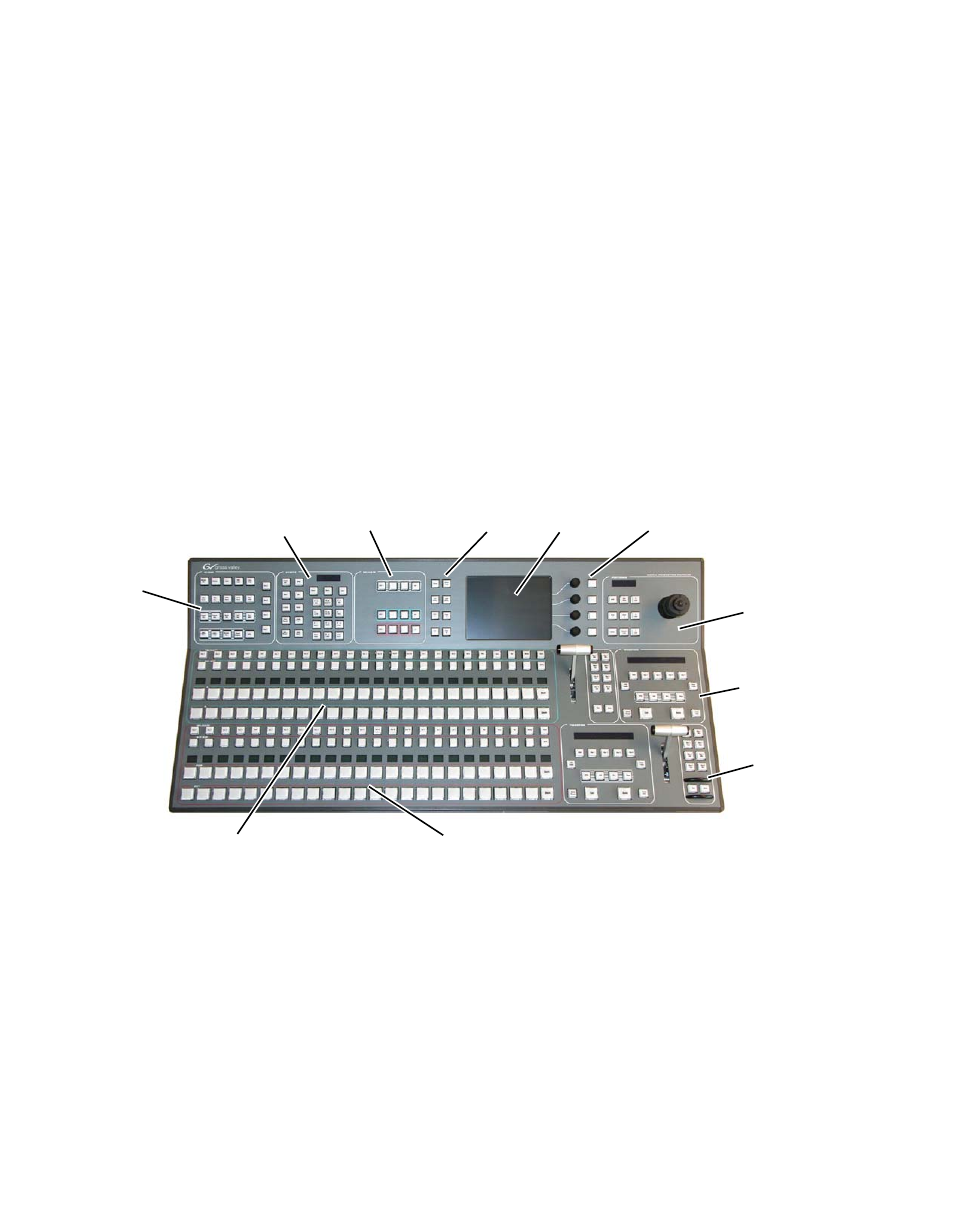
Overview Kayak-200 Panel
•
The top section of the panel with Keyer subpanel, Effect subpanel, Posi-
tioner subpanel, Display and gadgets buttons can be delegated to M/E
or P/P,
•
Sources are selected in the M/E1 and P/P crossbar section on the left
bottom side of the panel.
•
The graphical menu allows full control and edit facilities.
•
The positioner subpanel provides easy positioning of DPM, wipes, and
pattern keys.
•
Transition control for M/1 and P/P are handled in the right sections of
the panel.
•
The separate
Cut/Auto
buttons on the right of the transition lever allow
keyer control independent from the transition section.
Figure 62. Overview Kayak-200 Control Panel
8447_13
r0
Program / Preset
Transition
Subpanels
Effects
Subpanel
Positioner
Subpanel
M/E 1 Transition
Subpanels
Digipots and
Delegation Buttons
Menu
Screen
Menu Navigation
Buttons
Keyer
Subpanel
Subpanel Delegation
M/E 1 - PP
Program / Preset
Miscellaneous Delegation
and Crossbar Selection
M/E 1
Miscellaneous Delegation
and Crossbar Selection