PLANET WGS3-24240 User Manual
Page 138
User’s Manual of WGS3-24000 / WGS3-24240
138
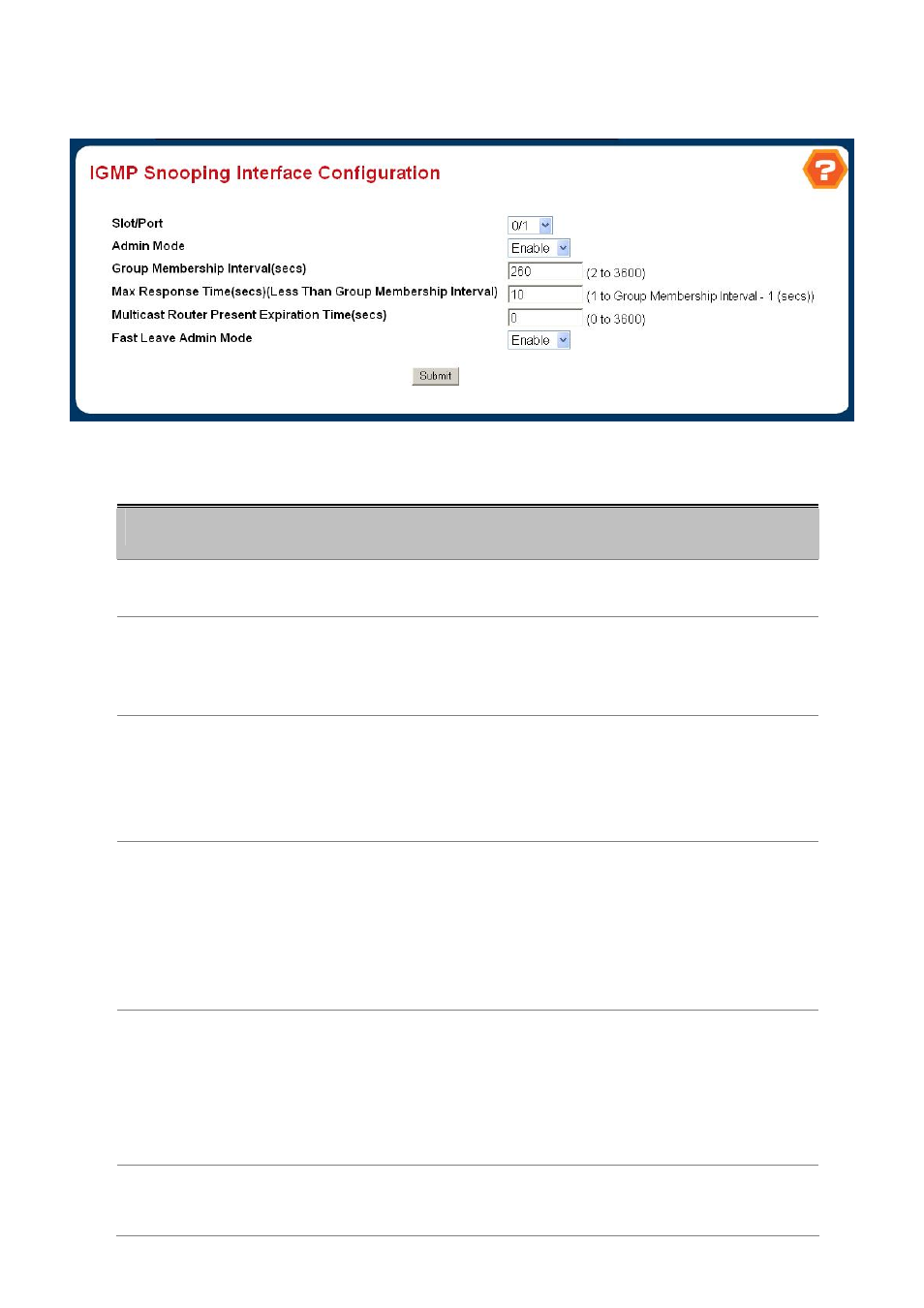
4.3.5.2 IGMP Snooping Interface Configuration
Figure 4-3-20 IGMP Snooping Interface Configuration
Configurable Data
Object
Description
• Slot/Port
The single select box lists all physical ,VLAN and LAG interfaces. Select the
interface you want to configure.
• Admin Mode
Select the interface mode for the selected interface for IGMP Snooping for the
switch from the pulldown menu.
The default is disable.
• Group Membership
Interval
Specify the amount of time you want the switch to wait for a report for a particular
group on a particular interface before it deletes that interface from the group.
Enter a value between 1 and 3600 seconds.
The default is 260 seconds.
• Max Response Time
Specify the amount of time you want the switch to wait after sending a query on
an interface because it did not receive a report for a particular group on that
interface. Enter a value greater or equal to 1 and less than the Group
Membership Interval in seconds.
The default is 10 seconds. The configured value must be less than the Group
Membership Interval.
• Multicast Router
Present Expiration
Time
Specify the amount of time you want the switch to wait to receive a query on an
interface before removing it from the list of interfaces with multicast routers
attached. Enter a value between 0 and 3600 seconds.
The default is 0 seconds. A value of zero indicates an infinite timeout, i.e. no
expiration.
• Fast Leave Admin
mode
Select the Fast Leave mode for the a particular interface from the pulldown
menu.