PLANET WGS3-24240 User Manual
Page 180
User’s Manual of WGS3-24000 / WGS3-24240
180
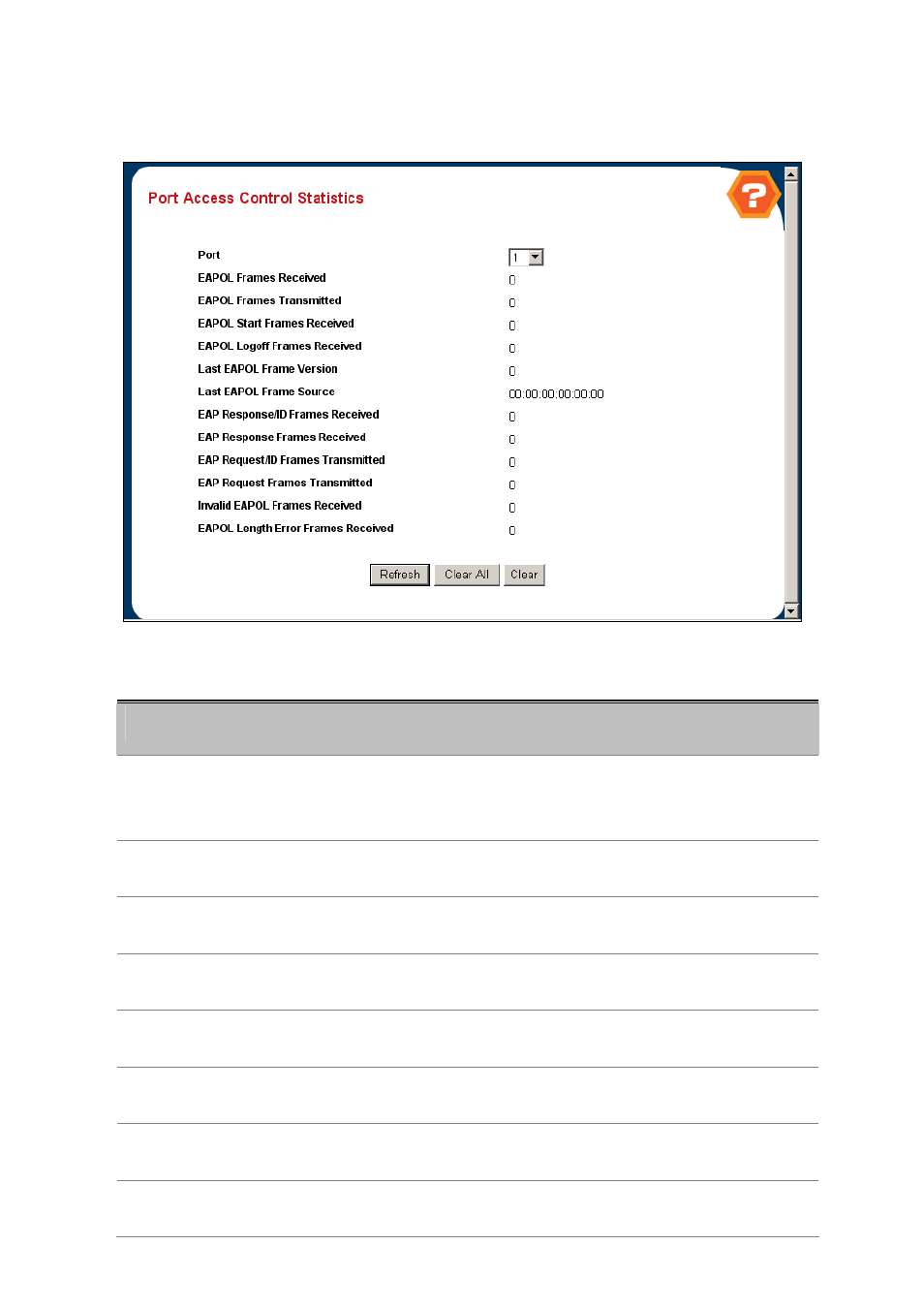
4.4.1.4 Port Access Control Statistics
This page shows the statistics of access control on each port.
Figure 4-4-4 Port Access Control Statistics
Object
Description
• Port
Selects the port to be displayed. When the selection is changed, a screen refresh
will occur causing all fields to be updated for the newly selected port.
All physical interfaces are valid.
• EAPOL Frames
Received
This displays the number of valid EAPOL frames of any type that have been
received by this authenticator.
• EAPOL Frames
Transmitted
This displays the number of EAPOL frames of any type that have been
transmitted by this authenticator.
• EAPOL Start Frames
Received
This displays the number of EAPOL start frames that have been received by this
authenticator.
• EAPOL Logoff Frames
Received
This displays the number of EAPOL logoff frames that have been received by this
authenticator.
• Last EAPOL Frame
Version
This displays the protocol version number carried in the most recently received
EAPOL frame.
• Last EAPOL Frame
Source
This displays the source MAC address carried in the most recently received
EAPOL frame.
• EAP Response/Id
Frames Received
This displays the number of EAP response/identity frames that have been
received by this authenticator.