PLANET WGS3-24240 User Manual
Page 313
User’s Manual of WGS3-24000 / WGS3-24240
313
Configurable Data
Object
Description
• Source IP
Enter the IP Address that identifies the multicast packet source for the entry you
are creating.
• Source Mask
Enter the subnet mask to be applied to the Source IP address.
• RPF Neighbor
Enter the IP address of the neighbor router on the path to the source.
• Metric
Enter the link state cost of the path to the multicast source. The range is 0 - 255
and the default is one. You can change the metric for a configured route by
selecting the static route and editing this field.
• Slot/Port
Select the interface number from the dropdown menu. This is the interface that
connects to the neighbor router for the given source IP address.
• Submit button
Send the updated configuration to the router. Configuration changes take effect
immediately. These changes will not be retained across a power cycle unless a
save is performed.
• Delete button
Delete the static entry with the selected Source IP address from the Mroute table.
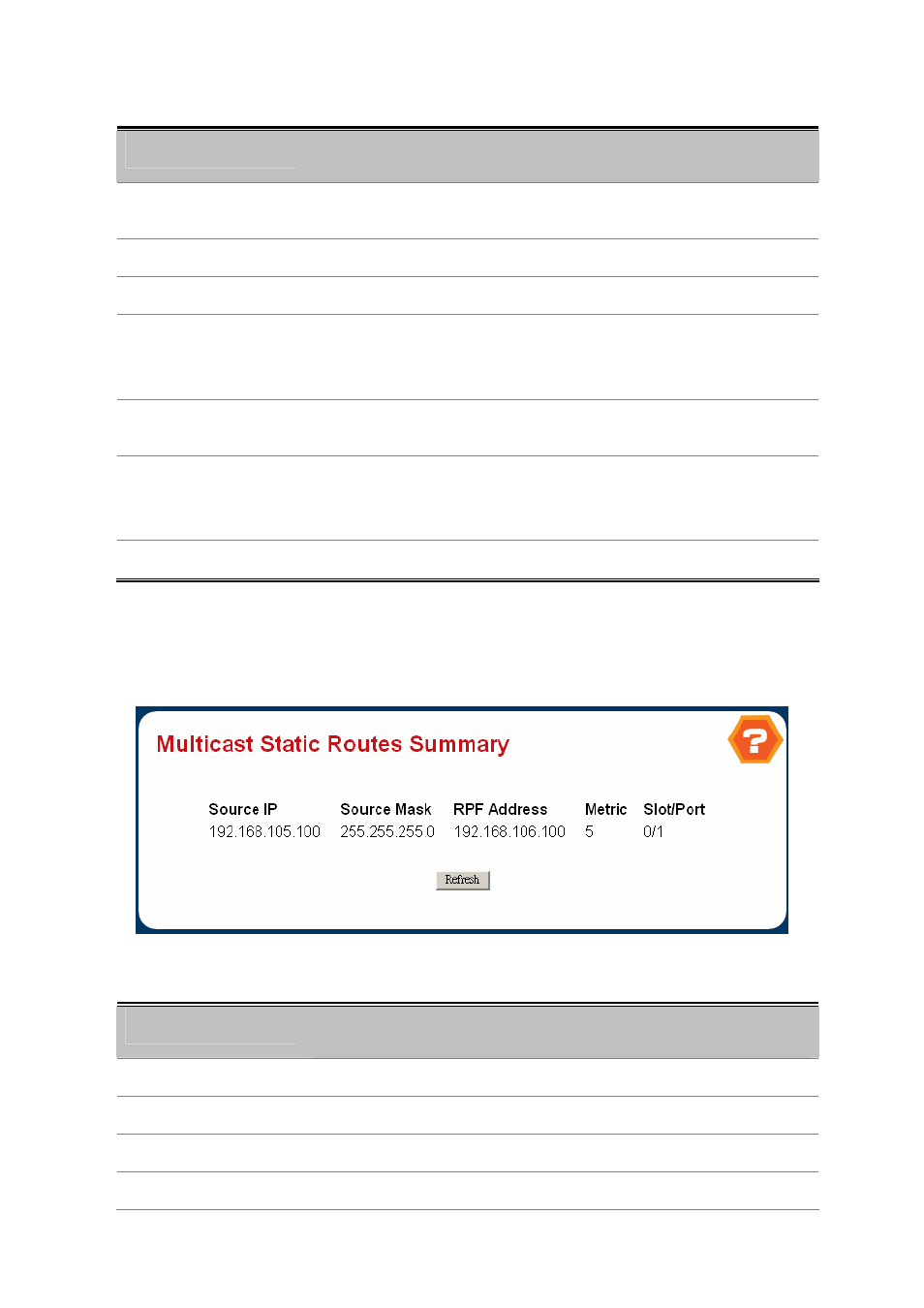
4.7.1.5 Multicast Static Routes Summary
Figure 4-6-53 Milticast Static Routes Summary
Non-Configurable Data
Object
Description
• Source IP
The IP Address that identifies the multicast packet source for this route.
• Source Mask
The subnet mask applied to the Source IP address.
• RPF Neighbor
The IP address of the RPF neighbor.
• Metric
The link state cost of the path to the multicast source. The range is 0 - 255.