PLANET WGS3-24240 User Manual
Page 139
User’s Manual of WGS3-24000 / WGS3-24240
139
The default is disable.
• Submit button
Update the switch with the values you entered. If you want the switch to retain the
new values across a power cycle you must perform a save. You will only see this
button if you have Read/Write access privileges.
This could take up to 10 to 30 seconds to become effective
4.3.5.3 VLAN Status
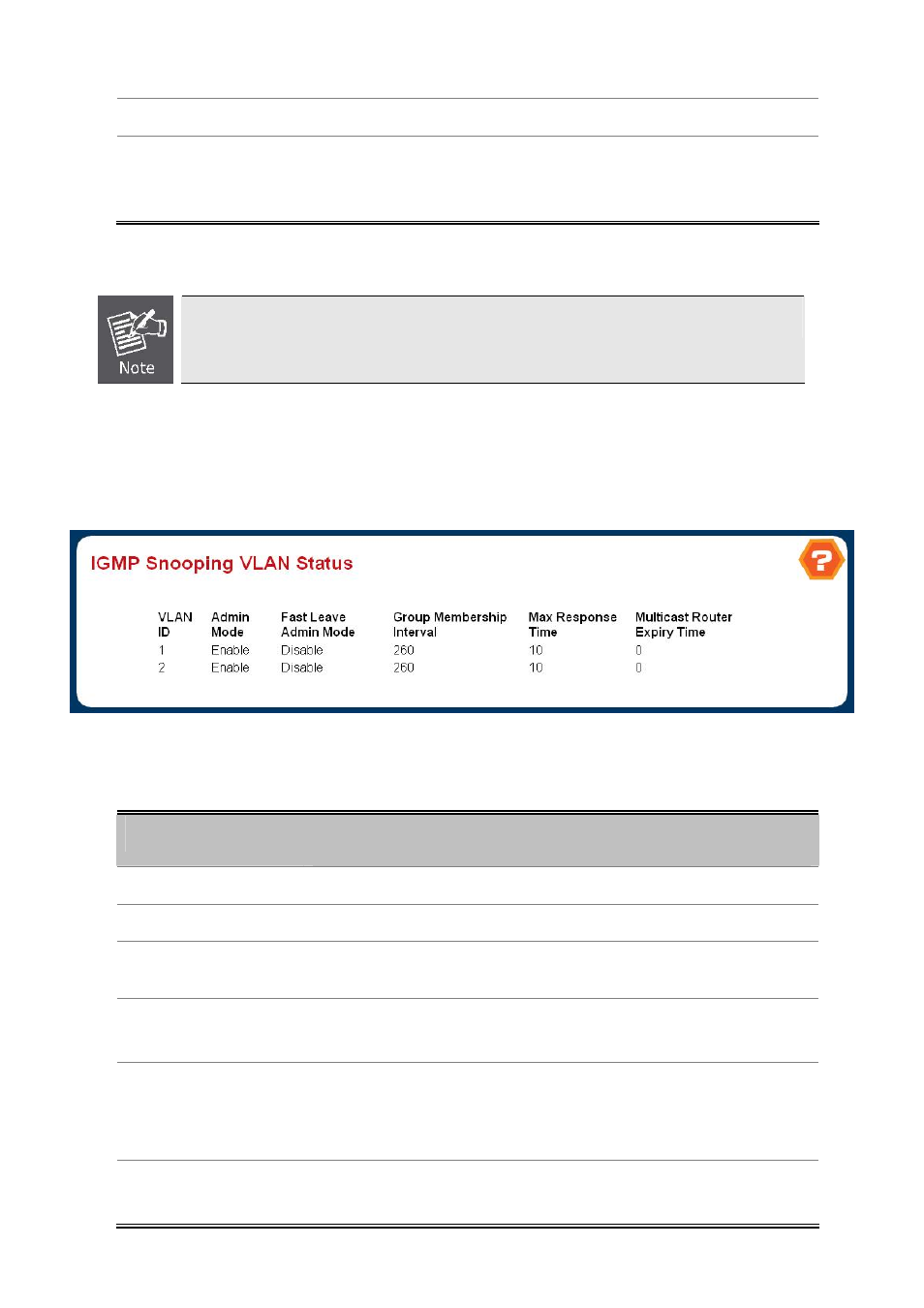
Use this page to display the IGMP Snooping VLAN status.
Figure 4-3-21 IGMP Snooping VLAN Status
Non-Configurable Data
Object
Description
• VLAN ID
All Vlan Ids for which the IGMP Snooping mode is Enabled.
• Admin Mode
Igmp Snooping Mode for Vlan ID.
• Fast Leave Admin
Mode
Fast Leave Mode for Vlan ID.
• Group Membership
Interval
Group Membership Interval of IGMP Snooping for the specified VLAN ID.
Valid range is 2 to 3600.
• Maximum Response
Time
Maximum Response Time of IGMP Snooping for the specified VLAN ID.
Valid range is 1 to 3599.
Its value should be greater than group membership interval value.
• Multicast Router
Expiry Time
Multicast Router Expiry Time of IGMP Snooping for the specified VLAN ID.
Valid range is 0 to 3600.